Revolt Chat vs Discord: Which Platform Wins in 2026?

Discord commands over 200 million registered users and has become the default infrastructure for online communities — but a growing number of those users are actively looking for a way out. Privacy policy changes, corporate data collection, and the platform’s increasing monetization pressure have pushed developers, community managers, and privacy-conscious users toward alternatives. Revolt Chat has emerged as the most credible open-source contender in that space.
The revolt chat vs discord debate isn’t a simple “new vs. established” story. It’s a genuine trade-off between ecosystem maturity and data sovereignty — and the right answer depends entirely on who you are and what you’re building. If you are still learning what Revolt offers, the complete Revolt Chat overview covers the platform’s full feature set and history.
Three audiences have the most at stake here: privacy seekers who want control over their data and communications, server owners weighing switching costs against long-term platform risk, and developers evaluating API flexibility and bot infrastructure. What follows is a feature-by-feature breakdown — including a side-by-side comparison table that most platform reviews conspicuously skip — designed to give each of those groups a clear, defensible answer rather than a hedged non-conclusion.
Revolt Chat vs Discord: Feature Comparison at a Glance
Discord leads on ecosystem maturity, voice reliability, and mobile polish — but Revolt beats it on cost (completely free, no Nitro paywall), transparency, and data ownership. For most users, the decision comes down to one question: do you need Discord’s plug-and-play bot library and network effect, or do you need a platform that doesn’t monetize your activity?
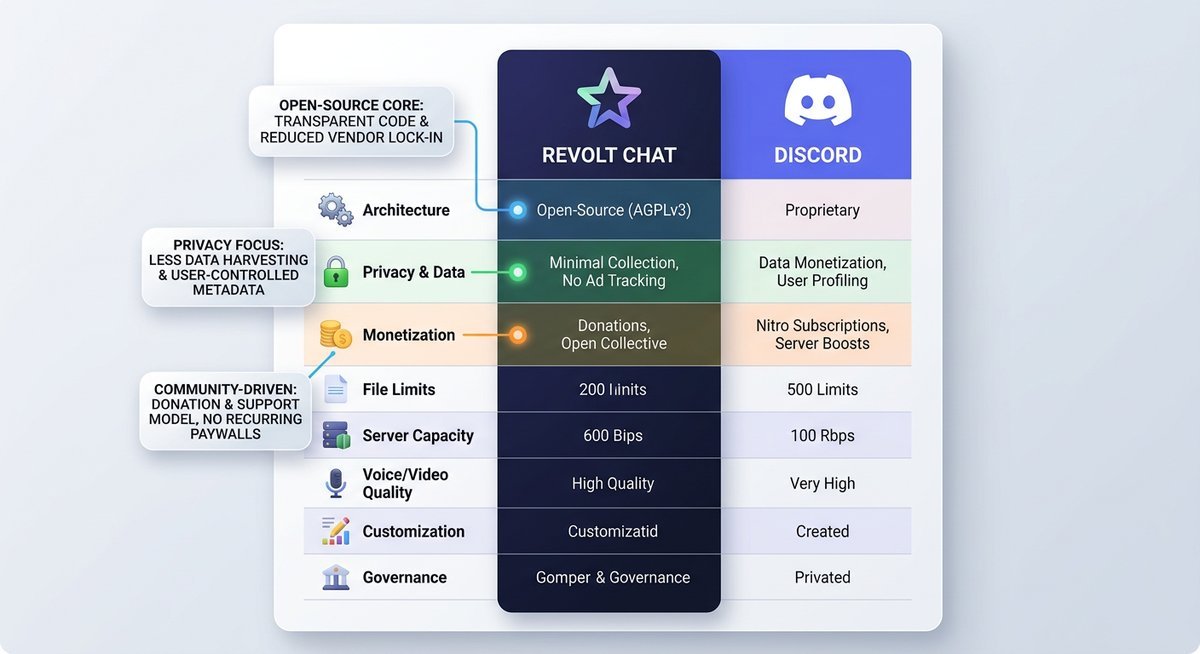
Head-to-Head Feature Table
No competitor currently offers a clean, scannable breakdown across all the dimensions that actually matter when switching platforms. The table below covers every major decision point — including several partial or in-progress entries that are worth understanding before you commit.
| Feature | Discord | Revolt Chat |
|---|---|---|
| Text Chat | ✅ Full-featured, markdown, threads, forums | ✅ Full-featured, markdown support |
| Voice Chat | ✅ Stable, low-latency, widely tested | ⚠️ Available via WebRTC; reliability still maturing |
| Video Chat / Screen Share | ✅ Polished, Go Live streaming included | ⚠️ Basic video available; screen share limited in 2026 |
| Server Member Limits | Up to 500,000 members (verified servers) | No published hard cap on self-hosted; hosted instance limits not officially specified |
| Roles & Permissions | ✅ Granular, mature role hierarchy | ✅ Role system present; less granular than Discord currently |
| Bots & Integrations | ✅ Thousands of bots (MEE6, Carl-bot, Dyno, etc.) | ⚠️ Growing ecosystem via revolt.js API; far fewer plug-and-play options |
| Mobile Apps (iOS / Android) | ✅ Polished, near-full feature parity with desktop | ⚠️ Functional apps available; some instability and missing features in 2026 |
| File Sharing Limit | 10 MB free / 500 MB with Nitro | 20 MB free on hosted instance (self-hosted: configurable) |
| Pricing Model | Free tier + Nitro from $9.99/month | 100% free; no premium tier currently |
| Self-Hosting Option | ❌ Not available | ✅ Full self-hosting supported |
| Open-Source Status | ❌ Proprietary | ✅ Fully open-source (AGPL-3.0) |
| Active Development (2026) | ✅ Large team, frequent updates | ✅ Active; smaller team, community-driven roadmap |
What the Table Tells Us
Four things stand out immediately. First, Revolt’s free file sharing limit of 20 MB actually exceeds Discord’s free tier cap of 10 MB — a small but concrete win that surprises most users comparing the two platforms.
Second, Discord’s bot ecosystem isn’t just larger — it’s categorically different. Thousands of production-ready bots exist for Discord versus a nascent library for Revolt, and that gap is a genuine switching cost for server owners who rely on moderation or music automation today.
Third, voice and video remain Revolt’s most significant functional gap. The platform uses WebRTC and the infrastructure works, but it hasn’t been stress-tested at Discord’s scale, and screen sharing remains limited — a real concern for gaming or remote-work communities.
The mobile story is improving but unfinished. Revolt’s iOS and Android apps handle core messaging well, yet notification edge cases and voice reliability on mobile still lag behind Discord’s polished experience. For communities that are primarily mobile-first, this is the single most decisive factor in the revolt chat vs discord decision right now.
Privacy and Security: Where Revolt Has a Structural Advantage
Revolt holds a meaningful structural privacy advantage over Discord because its open-source codebase can be independently audited, its architecture supports full self-hosting, and it collects significantly less user data by design. Discord, by contrast, operates a closed-source platform that monetizes user data and behavioral telemetry to serve targeted advertising and partnerships. The gap between the two isn’t philosophical — it’s architectural.
What Discord Collects (and Why It Matters)
According to Discord’s published privacy policy, the platform collects account information, message metadata, device identifiers, IP addresses, browsing behavior within the app, and data from third-party integrations. That’s a broad surface area. Discord also uses behavioral telemetry — tracking how users navigate the interface, which features they use, and how long they spend in specific servers — to inform product decisions and advertising targeting.
The ToS implications are equally significant. Discord’s terms grant the company a broad license to use, reproduce, and distribute user-generated content for operating and improving the service. In practice, that means your server conversations, shared files, and profile activity are all fair game for internal analysis. The 2023 Terms of Service update drew criticism from privacy advocates for expanding the scope of this license without prominent user notification.
Discord’s age verification rollout — pushed in the United Kingdom following Online Safety Act requirements — also raised questions about biometric data handling, since third-party verification providers collect identity documents on Discord’s behalf. For users whose threat model includes platform-level data access, these aren’t edge cases. They’re the core product.
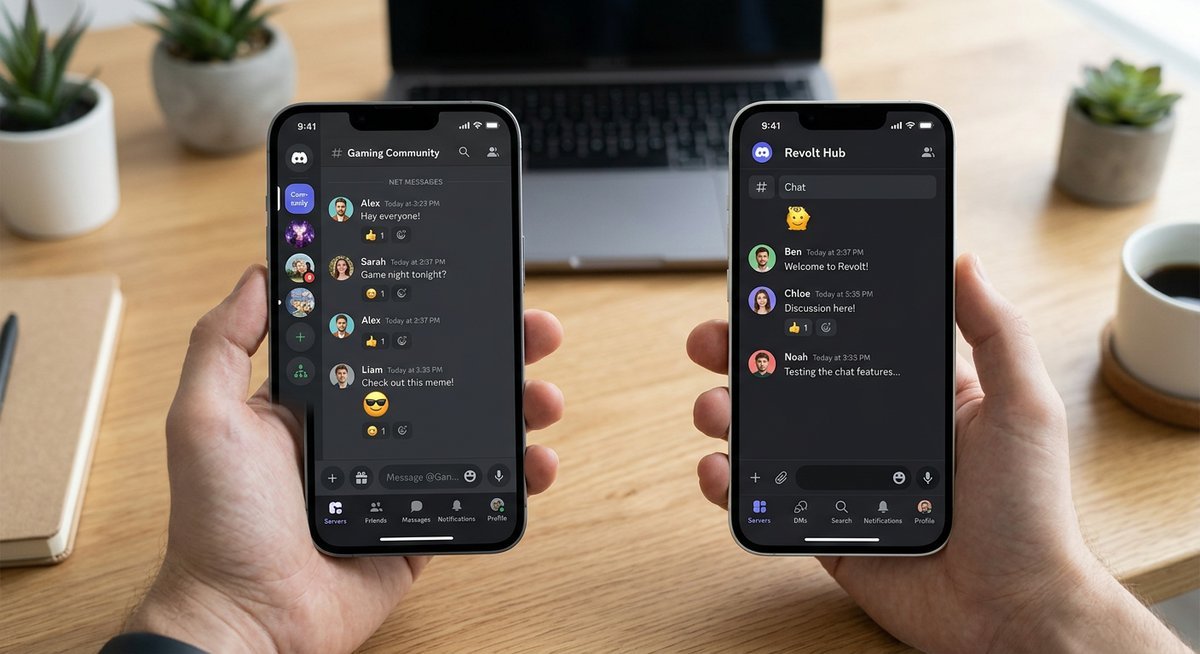
Revolt’s Privacy Model: Open Source, Self-Hosted, and GDPR-Aligned
Revolt’s entire backend — including its API server (Delta), file server (Autumn), and web client — is published on GitHub under open-source licenses. That matters because independent security researchers can audit the code for data collection practices, backdoors, or unexpected telemetry without relying on a company’s self-reporting. No equivalent transparency exists for Discord.
Running a self-hosted chat server on Revolt means your messages, files, and user data never touch Revolt’s infrastructure at all. You control the database, the storage, and the retention policy. For developer communities, activist organizations, or any group with genuine data sovereignty requirements, this is a qualitatively different security posture than anything Discord can offer. Revolt’s GDPR alignment is also more straightforward on the self-hosted path — the data controller is you, not a U.S.-based corporation operating under different regulatory defaults.
On encryption: Revolt does not currently offer end-to-end encryption messaging for server channels or direct messages on its public hosted instance. Transit encryption (TLS) is standard, but messages are readable server-side. This is an important distinction — Revolt is not Signal, and overstating its encryption would be misleading. The privacy advantage comes from data minimization and auditability, not from E2EE.
| Privacy Factor | Discord | Revolt (Hosted) | Revolt (Self-Hosted) |
|---|---|---|---|
| Behavioral telemetry | Yes | Minimal | None |
| Third-party data sharing | Yes | No | No |
| Independent code audit possible | No | Yes | Yes |
| End-to-end encryption | No | No | No (by default) |
| GDPR data controller | Discord Inc. | Revolt (UK-based) | You |
| User content license granted to platform | Broad | Minimal | None |
The Honest Caveat
Using the public hosted instance at app.revolt.chat still means trusting Revolt’s team — a small, UK-based operation — with your data. The team’s intentions appear good and the codebase is auditable, but good intentions aren’t a substitute for institutional accountability. If your threat model requires genuine data sovereignty, the hosted instance doesn’t deliver it.
Self-hosting Revolt requires comfort with Docker or similar containerization tools, a Linux server, and ongoing maintenance responsibility. The Revolt Chat self-hosted Docker guide walks through the full six-container deployment with annotated configuration. That’s a real technical barrier for most community admins. The privacy advantage is genuine, but it only fully materializes for users or organizations with the technical capacity to deploy and maintain their own infrastructure.
For the average user who just wants less corporate surveillance without managing a server, Revolt’s hosted instance is still meaningfully better than Discord — less telemetry, no ad targeting, open-source accountability. Just don’t mistake it for a zero-trust environment.
Bots, Integrations, and Ecosystem Maturity
Discord’s bot ecosystem is the single most powerful reason server owners hesitate to leave — and for good reason. Revolt’s API is functional and well-documented, but the gap in plug-and-play bot availability is real, measurable, and directly affects non-technical communities considering a switch.
Discord’s Bot Ecosystem: The Moat That’s Hard to Cross
Over 1 million bots have been created for Discord, with the top entries — MEE6, Carl-bot, Dyno, and Midjourney — each serving tens of millions of servers. Adding any of them takes under two minutes: click authorize, assign permissions, done. No code, no configuration files, no server access required.
Webhooks extend this further. Discord’s incoming webhook system lets services like GitHub, Twitch, Patreon, and hundreds of others push notifications directly into channels with zero custom development. This integration density is what transforms Discord from a chat app into an operational hub for communities and developer teams alike.
The switching cost here isn’t just inconvenience — it’s workflow disruption. A moderation stack built on Carl-bot’s automod rules, MEE6’s leveling system, and a custom music bot represents hours of configuration that simply doesn’t transfer. For server owners running communities above a few hundred members, that’s a genuine migration barrier, not a cosmetic one.
Revolt’s Bot Support: Revolt.js, the API, and What’s Actually Available
Revolt provides an official REST and WebSocket API, with revolt.js as the primary JavaScript/TypeScript client library for bot development. The API covers core functionality — reading and sending messages, managing channels, handling roles, and responding to server events. For a developer starting from scratch, the foundation is solid.
The Autumn file server handles media uploads within Revolt’s infrastructure, and community-built bots do exist across moderation, utility, and basic automation categories. A curated bot list is maintained in Revolt’s official server and associated community spaces. However, the music bot category remains sparse, third-party service integrations (Twitch alerts, GitHub webhooks) require custom implementation, and there is no equivalent to Discord’s Bot Verification program or a centralized marketplace with user reviews and install counts.
Assessing revolt chat bot support compared to discord honestly means acknowledging the ecosystem is roughly where Discord’s was in 2017 — capable infrastructure, growing developer interest, but nowhere near critical mass. The number of production-ready, publicly hosted bots a non-technical server owner can deploy in minutes is still limited to a handful.
| Bot Category | Discord (2026) | Revolt (2026) |
|---|---|---|
| Moderation | Dozens (Carl-bot, Dyno, etc.) | Several community bots available |
| Music | Multiple mature options | Limited / experimental |
| Utility / Leveling | MEE6, Arcane, and many others | Basic options; no dominant player |
| Third-party webhooks | Native support (GitHub, Twitch, etc.) | Requires custom bot development |
| Bot marketplace | top.gg, Discord Bot List | No centralized marketplace |
Developer Verdict
Revolt’s API is genuinely capable. A developer comfortable with JavaScript or Python can build a fully functional moderation or notification bot in an afternoon — the documentation is clear, the WebSocket events are well-structured, and the library is actively maintained. For teams building internal tooling or custom community infrastructure, Revolt is a credible platform.
The gap shows up the moment a non-technical server owner asks: “What can I add right now, without writing code?” Discord’s answer is hundreds of production-ready options. Revolt’s honest answer is still “not many.” Until a bot marketplace emerges and a few dominant community bots reach maturity, this remains the most practical barrier to Revolt adoption for established, non-developer communities.
Mobile App Experience: The Gap You Need to Know About
Discord’s mobile app is feature-complete and battle-tested; Revolt’s is functional but still maturing. For communities where most members connect via smartphone — which, per Statista, represents over 60% of messaging app users globally — this gap is a practical dealbreaker, not a minor inconvenience. The honest answer is that the revolt chat mobile app vs discord mobile comparison isn’t close yet, though the distance is shrinking.
Discord Mobile: The Gold Standard (With Trade-offs)
Discord’s iOS and Android apps have had years of refinement behind them, and it shows. Feature parity with the desktop client is essentially complete — voice channels, screen sharing, thread navigation, stage channels, and role management all work reliably on mobile. Push notifications are granular enough to mute individual channels while keeping server-wide pings active.
The friction points are real, though. Discord’s Android app is a known battery drain, particularly when voice channels are active in the background. Notification management can become genuinely laborious on large servers with dozens of channels — finding the right toggle requires navigating three menu layers. These are polish problems, not structural ones, but they matter for daily use.
Revolt Mobile in 2026: Viable or Still Catching Up?
Revolt’s mobile apps — available on both iOS and Android — handle core messaging and server navigation competently. Switching between servers, reading channels, and sending text messages works without notable issues. For a text-first community, the experience is usable today.
Voice reliability is where things get uneven. Voice channel stability on Revolt mobile has improved, but it doesn’t yet match Discord’s consistency across varying network conditions. Notification delivery can be inconsistent on Android depending on device manufacturer battery optimization settings — an edge case that becomes less of an edge case on Huawei or Xiaomi hardware.
Tablet optimization is essentially absent. Discord’s iPad layout uses the extra screen real estate sensibly; Revolt’s tablet experience is a stretched phone interface. For communities with members on iPads or Android tablets, that’s a noticeable regression.
| Feature | Discord Mobile | Revolt Mobile |
|---|---|---|
| Core text messaging | ✅ Full | ✅ Full |
| Voice channel stability | ✅ Reliable | ⚠️ Improving, inconsistent |
| Screen sharing | ✅ Supported | ❌ Not available |
| Push notifications | ✅ Granular control | ⚠️ Edge cases on some Android devices |
| Tablet / iPad layout | ✅ Optimized | ❌ Phone UI scaled up |
| Background battery usage | ⚠️ High during voice | ✅ Generally lighter |
The development trajectory for Revolt mobile is genuinely positive — the team ships updates regularly, and the app is meaningfully more stable than it was twelve months ago. But trajectory isn’t the same as arrival. Anyone building or migrating a mobile-first community should treat Revolt’s current mobile experience as a work in progress, not a finished product.
Which Platform Is Right for You? Use-Case Verdicts
Discord wins for gamers, large communities, and anyone who needs a plug-and-play ecosystem today. Revolt wins for developers, privacy-conscious groups, and communities where data ownership is non-negotiable. The right answer depends entirely on your use case — so here’s a direct verdict for each.
Best for Gamers — Verdict: Discord
Discord’s voice infrastructure is purpose-built for gaming. Low-latency voice channels, a desktop overlay that displays over any fullscreen game, and rich presence integrations that broadcast what you’re playing to your server — none of that exists on Revolt in any comparable form. Xbox and PlayStation both ship native Discord integration, meaning console players can join voice channels directly from their dashboard without touching a PC.
The network effect alone is decisive. Virtually every major gaming community, esports organization, and game studio runs on Discord. Switching your gaming group to Revolt means asking people to leave a platform where their other fifty servers already live.
The one scenario where Revolt earns a look: a small, tight-knit gaming group that genuinely prioritizes privacy and is willing to self-host. For everyone else, Discord is the practical choice.
Best for Open-Source and Developer Communities — Verdict: Revolt (with caveats)
Revolt is itself an open-source communication platform, which creates an immediate philosophical alignment with developer communities who are uncomfortable routing project discussions through a corporate-owned, closed-source system. Self-hosting means your team’s technical conversations, API keys accidentally pasted in chat, and internal roadmap discussions never touch Discord’s servers.
Revolt’s API is well-documented and the revolt.js library gives developers a clean foundation for building custom bots and automation. GitHub and CI pipeline integrations require custom webhook work rather than a one-click install — that’s a real cost, but it’s a manageable one for a team that already writes code.
The community platform network effect is the honest caveat here. If your open-source project has external contributors who already live on Discord, migrating them requires friction. Revolt works best when the entire core team controls the decision.
Best for Privacy-First Communities and Activists — Verdict: Revolt (self-hosted)
Journalists coordinating source communications, activist organizations in restrictive political environments, and LGBTQ+ communities in regions where platform-level data access poses a genuine safety risk all share the same threat model: the platform itself cannot be trusted with metadata. Revolt’s self-hosted deployment removes that risk entirely — no third party holds your message logs, member lists, or behavioral data.
The caveat is real and shouldn’t be minimized. Self-hosting requires either technical competence or a trusted administrator who has it. Running app.revolt.chat without self-hosting still means trusting Revolt’s team with your data, which is a smaller but non-zero risk.
Best for Large, Established Communities — Verdict: Discord
Communities above roughly 500 active members run into Revolt’s ecosystem ceiling fast. Moderation tooling on Discord — AutoMod, role-based permissions at scale, audit logs, and a mature library of moderation bots — has years of real-world stress-testing behind it. Revolt’s moderation features are functional but not yet hardened for high-volume environments.
| User Type | Recommended Platform | Deciding Factor |
|---|---|---|
| Gamers | Discord | Voice quality, overlays, console integrations, network effect |
| Open-source / developer teams | Revolt (with caveats) | Self-hosting, API flexibility, no corporate telemetry |
| Privacy-first / activist groups | Revolt (self-hosted) | Full data ownership, no platform-level access |
| Large established communities | Discord | Moderation maturity, bot ecosystem, member familiarity |
Discord’s bot availability and sheer member familiarity make migration a genuine cost for large communities — not just a technical one, but a social one. Revolt’s ecosystem is closing the gap, but for communities where downtime or friction means losing members permanently, Discord remains the pragmatic default until that gap closes.
How to Migrate from Discord to Revolt (Step-by-Step)
Migrating a Discord server to Revolt takes roughly 30–90 minutes depending on server complexity — and no competitor has bothered to document the actual process. The short version: Revolt has no automated import tool, so migration is manual. That sounds worse than it is. For servers under 200 members with straightforward channel structures, the process is entirely manageable if you follow the right sequence.
Before You Start: Audit Your Discord Server
Open your Discord server settings and export or document three things: your channel list (names, categories, and descriptions), your role hierarchy (names, permissions, and color codes), and any active bots you rely on. This audit takes 10–15 minutes and prevents you from rebuilding blindly on the Revolt side.
Pay particular attention to permission overwrites — channels locked to specific roles are easy to miss and frustrating to recreate. Screenshot or paste your role permission matrix into a spreadsheet before touching anything.
Step 1: Create Your Revolt Server and Recreate Channel Structure
Create a new server at app.revolt.chat. Revolt uses the same conceptual structure as Discord — categories contain channels — so your existing layout maps over directly. Recreate your categories first, then populate channels inside each one.
Revolt supports text channels natively. Voice channels exist but currently lack the same reliability as Discord’s voice infrastructure, so flag any voice-heavy channels as a known trade-off for your members before migrating.
Step 2: Rebuild Roles and Permissions
Revolt’s role system is functionally comparable to Discord’s, covering channel-level read/write permissions, role hierarchy, and member assignment. Recreate roles in descending order of hierarchy — highest-permission roles first — to avoid permission conflicts during setup.
One practical difference: Revolt uses a slightly different permission naming convention. Cross-reference Revolt’s official documentation at developers.revolt.chat when mapping Discord’s “Manage Messages” or “Mention Everyone” equivalents. Most map cleanly; a few require manual interpretation.
Step 3: Assess and Replace Your Bots
This is the hardest part of any Discord-to-Revolt migration. Discord bots do not transfer — MEE6, Carl-bot, and Dyno have no Revolt equivalents. Before migrating, categorize each bot by function and identify whether a Revolt community bot covers that use case, or whether you’ll need to build or commission a custom bot using the revolt.js library.
| Discord Bot | Function | Revolt Alternative |
|---|---|---|
| MEE6 | Moderation, leveling | Partial — community bots available; leveling limited |
| Carl-bot | Automod, reaction roles | No direct equivalent; custom revolt.js required |
| Dyno | Moderation, logging | Partial — basic moderation bots exist in Revolt’s community |
| Webhook integrations | GitHub, RSS, alerts | Revolt supports incoming webhooks natively as of 2024 |
Step 4: Invite Your Members and Manage the Transition Period
Generate a Revolt invite link and post it in your Discord server with a clear explanation of why you’re moving and what members should expect. Revolt’s invite system works identically to Discord’s — one link, no expiry unless you set one.
Run both servers in parallel for at least two weeks. Keep Discord active but reduce its activity deliberately — pin announcements in Discord pointing to Revolt, and move key conversations there first. Cold-turkey migrations reliably lose 30–50% of passive members who don’t see the switch in time.
Step 5: Verify and Archive
Once your core community has migrated, do a final permission audit in Revolt: check that private channels are genuinely restricted, that admin roles are correctly scoped, and that your webhook integrations are firing correctly. Archive — don’t delete — your Discord server for at least 30 days as a fallback. Members trickle in late, and a deleted server leaves them with no forwarding address.
Frequently Asked Questions
Is Revolt Chat a good replacement for Discord?
Revolt is a capable replacement for Discord in privacy-focused, developer, or small-to-medium communities, but it is not a drop-in substitute for large gaming servers or bot-heavy communities. Discord’s ecosystem — voice reliability, bot marketplace, and mobile polish — still leads. Revolt closes the gap meaningfully for users whose priority is data ownership over convenience.
What are the main differences between Revolt and Discord?
The core differences come down to four dimensions: ownership model, cost, ecosystem maturity, and privacy architecture. Revolt is fully open-source and free with no Nitro-style upsell, while Discord operates a freemium model with Nitro subscriptions starting at $9.99/month. Discord supports thousands of third-party bots; Revolt’s bot ecosystem is functional but far smaller. Revolt allows complete self-hosting; Discord does not.
Is Revolt Chat safe and private to use?
Using Revolt’s self-hosted instance is among the most private options available in the chat platform space — your data never touches a third-party server. The public hosted instance at app.revolt.chat is GDPR-aligned and collects significantly less metadata than Discord, but it still requires trusting Revolt’s team as a data custodian. Revolt does not currently offer end-to-end encryption for messages by default, a limitation worth understanding before assuming full privacy.
Can you self-host Revolt Chat on your own server?
Yes. Revolt’s entire stack — including the Bonfire backend, Autumn file server, and January link embed service — is available on GitHub and deployable via Docker. Self-hosting gives administrators complete control over user data, retention policies, and server configuration. The technical barrier is real: comfortable deployment requires familiarity with Linux, Docker Compose, and basic networking, making it practical for developers but not casual users.
How does Revolt’s bot support compare to Discord’s?
Discord’s bot ecosystem includes tens of thousands of published bots — MEE6 alone serves over 19 million servers. Revolt’s ecosystem is orders of magnitude smaller, though its official revolt.js library provides a well-documented API for building custom bots. Moderation and utility bots exist in the Revolt community, but music bots and deep game integrations remain sparse. For non-technical server owners, this gap is the single most significant switching cost.
Does Revolt have a mobile app?
Revolt has native iOS and Android apps, and both handle core messaging and server navigation reliably. Voice channel stability and push notification consistency still trail Discord’s mobile experience, which has had years of optimization across both platforms. For communities that are primarily desktop-based, Revolt mobile is viable today. For mobile-first communities, the experience gap remains noticeable enough to factor into any migration decision.
Conclusion
Discord remains the pragmatic default for most people — its voice infrastructure, bot ecosystem, and network effects represent years of compounding advantage that Revolt simply cannot match today. For communities above a few hundred members, or anyone who relies on plug-and-play bots like MEE6 or Carl-bot, switching carries real cost with limited immediate payoff.
Revolt, though, is not a hobbyist experiment anymore. Its open-source codebase, zero-cost hosting, and GDPR-aligned privacy model make it a structurally superior choice for anyone whose threat model includes platform-level data access — developers, activist groups, privacy-first communities.
Here is where each reader should land: if privacy and transparency matter to you, start at app.revolt.chat today — the Revolt Chat download and setup guide covers every platform. If you run a technical team or community, explore self-hosting via Revolt’s GitHub repository. If you’re staying on Discord, do it with clear eyes about what you’re trading away.
Last modified: March 26, 2026