The Essential Guide to Building a High-Conversion Online Support Strategy
Many businesses view online support from the vantage point of “damage control”. It is where customers visit when something goes wrong. This view is actually leading to revenue loss. If a person visits your website and asks a question, it does not necessarily mean they need help. In many cases, they are making a decision to purchase and this initial interaction will either lead to conversion or them leaving your site.
The most successful business communication strategies merge service and sales.
Stop Waiting For Customers To Come To You
Being present seems easy enough. Yet showing up where and when it’s meaningful requires thinking through where your customer is in their journey, and whether they’re signaling that it’s the right time to chat.
Proactive chat changes the equation. When you trigger a message based on user behavior – time spent on a pricing page, repeated visits to a product section, or abandonment signals – you’re entering the conversation at the moment intent is highest. That’s not interruption; that’s good timing.
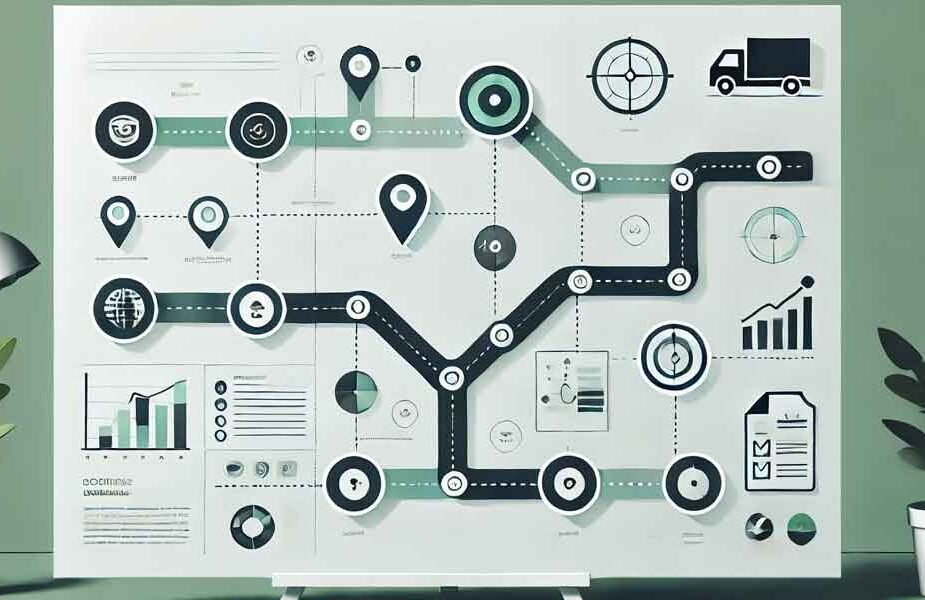
The same logic applies to where you place your attention. Not every visitor has the same goal. Customer journey mapping helps distinguish someone in the awareness phase from someone who’s ready to talk terms. Your opening message, your tone, and who you route that conversation to should all change based on that context.
Build A Tiered Structure That Protects Your Best People
Experienced sales reps only have so many hours in the day. If they’re fielding password resets and checking if an order has shipped, you’re using high-cost resources on low-value engagements.
A tiered model funnels simple questions through self-serve or chatbot, and escalates to a human with likely commercial intent. And the transition is critical, because if the customer is asked to repeat their story when a rep takes over, you blow the handoff. The system can’t lose the thread between bot and live agent. The live agent handoff should be invisible to the customer, with full context already in front of the agent when they join.
The system can do that if the CRM is well configured. If the chat history, purchase and contact record are right there, the rep doesn’t need to start by asking qualifying questions. They’re on page two, because they started on page one.
From Support Tickets To Closed Deals
There is a specific time in the sales funnel where web chat works differently than email. When a potential customer is on your website at 2 pm on a Tuesday, they’re asking a question and if you can answer that question within 60 seconds, the opportunity of converting them rises dramatically. If they then wait and send an email instead, the moment is lost. Firms that reached out to leads within one hour of receiving notification were nearly seven times more likely to have a meaningful conversation with a key decision-maker than firms that waited longer.
That’s an argument for investing in the best webchat for sales tooling that supports lead qualification – finding ways to direct those high-value conversations to a salesperson who can close. The marketing vs. sales differentiation starts to disappear when the technology and the process mesh in this way.
Speed Matters, But Not At The Cost Of Context
First response time is a real KPI and it matters. But speed without context is just noise. A fast reply that ignores everything the customer just told you isn’t service – it’s a template.
The goal is both: a low FRT and a response that shows the agent actually read the conversation. That combination is what drives strong CSAT scores and, more practically, what keeps a hesitant prospect moving forward instead of bouncing.
One underused way to get there is setting internal SLAs that account for conversation type, not just channel. A billing question and a request for a product demo shouldn’t have the same expected response window or the same agent profile. When your SLAs reflect that distinction, your team allocates attention more accurately.
Use Your Transcripts As Market Research
Chat transcripts provide valuable insights into the areas where your messaging falls short. If the same question crops up 30 times in a month, that’s not a support issue. It’s a website issue.
Reviewing transcripts as part of your conversion rate optimization process means treating support data as qualitative research. What words do prospects use when they struggle to explain their issue? What objections tend to pop up before your support rep goes quiet? Those patterns belong on your landing page. Your FAQ. Your onboarding emails.
Omnichannel support – where your chats, SMS, and voice are visible in a single dashboard – makes that much easier, as you’re no longer taking this insight from fragments but seeing the full picture of how customers talk to you.
The Front Line Has Shifted
Customer support is actually the place where your potential customers are converting. Companies that understand that – and invest in adequate staff, tools, and training – transform their support team from a cost center into a profit center. And it all begins with how you reframe the dialogue.
Start by auditing one week of chat transcripts to identify your highest-frequency questions and longest response gaps. Pick one friction point, fix it, and measure the outcome. The businesses that win at this aren’t necessarily the ones with the biggest budgets — they’re the ones that treat every interaction as an opportunity to improve.
Last modified: March 31, 2026