Vidqu Face Swap Review: A Powerful, Accessible, and Surprisingly Versatile AI Face-Swapping Tool
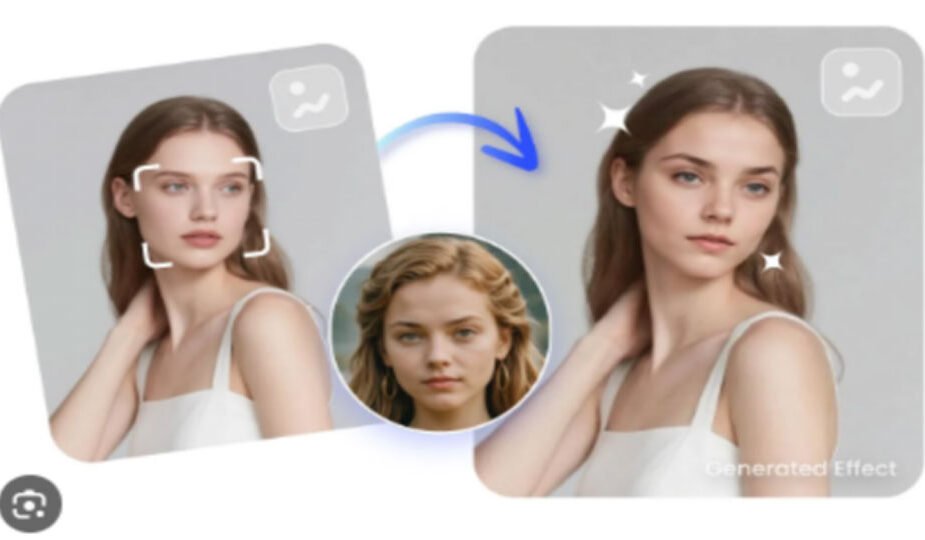
AI-powered video editing has exploded in popularity, and one of the clearest examples of this transformation is face-swapping technology. Among the growing number of online tools, Vidqu’s Face Swap stands out as a polished, beginner-friendly, and highly effective solution that goes beyond simple gimmicks. Whether you’re a creator, marketer, educator, or someone simply curious about AI’s creative potential, Vidqu’s tool offers an impressive mix of ease, precision, and flexibility.
In this comprehensive review, we’ll take a closer look at the platform’s features, performance, workflow, and practical uses—while examining what sets Vidqu apart from many other AI face-swapping services.
The heart of Vidqu’s offering is its faceswap video tool, accessible directly at
What makes it particularly user-friendly is its streamlined workflow. Users upload a source face and a target video, and the system automatically handles identity detection, alignment, blending, lighting adaptation, and final rendering. There’s no need for advanced editing knowledge; the platform guides you every step of the way.
The interface is clean and intuitive. Instructions are presented clearly, and every step—from upload to export—can be completed within a few clicks. The tool also supports a wide range of video resolutions and formats, making it suitable for both casual users and content creators who need high-quality output.
2. High-Quality Swaps With Natural Expression Transfer
A major drawback of many online face-swapping tools is unnatural blending—misaligned faces, awkward expressions, or lighting mismatches. Vidqu’s model is noticeably more advanced in this area.
Some highlights include:
- Accurate facial landmark trackingthat preserves natural expressions
- Adaptive lighting and color adjustmentsfor more believable results
- Smooth transitions in motion-heavy scenes
- Better identity retention, even when the source face is from a static image
The end result is a face-swap that looks impressively fluid and far less “AI-generated” than many alternatives.
3. Multi-Face Swapping for Group Videos
A standout feature offered by Vidqu is the option for multiple face swap video creation.
Instead of swapping a single face, this feature allows users to replace several faces at once within the same video. This is especially valuable for:
- Group photos
- Team videos
- Reaction videos
- Marketing or training content
- Skits and short-form storytelling
The tool automatically identifies all detectable faces and allows the user to assign different replacement faces to each target. This level of control is not commonly found in typical consumer-grade AI face-swap tools, making Vidqu’s offering surprisingly robust for creators with more complex projects.
4. Ethical Considerations and Responsible Usage
Face-swapping has tremendous creative potential, but it can also raise concerns if misused. One area where Vidqu takes a responsible stance is in encouraging ethical usage and prohibiting unauthorized impersonation, harassment, or deceptive content generation.
The platform reminds users to:
- Swap only with faces you have permission to use
- Avoid generating misleading or harmful content
- Respect privacy and intellectual property
These guidelines are important, especially as AI editing tools become more accessible.
5. Complementary AI Tools on the Vidqu Platform
Vidqu isn’t just a face-swapping site—it offers a broader ecosystem of AI-powered creation tools. One example is its conversational AI companion tool, often discovered through the keyword :free AI sex chat
While this feature serves a different purpose from face-swapping, it demonstrates the platform’s expansion into interactive and entertainment-focused AI experiences. The diversity of tools available suggests that Vidqu is positioning itself as a comprehensive hub for AI-generated content and digital creativity.
6. Speed, Rendering Time, and Performance
Performance is one of the more impressive aspects of Vidqu’s face-swapping service. Rendering times depend on video length and resolution, but even for HD videos, processing is generally faster than many competing tools.
Users can expect:
- Quick previews for short clips
- 1080p output rendering that remains reasonably fast
- Stable cloud-based processing that doesn’t require special hardware
Because everything runs in the cloud, there’s no need for a powerful computer. This accessibility is one reason many users gravitate toward Vidqu over downloadable face-swap software.
7. Ideal Use Cases for Vidqu Face Swap
Vidqu’s tool is versatile enough to support a wide range of creative scenarios, such as:
- Social media content
- Memes and humorous edits
- Short-form promotional videos
- Film and educational demonstrations
- Creative storytelling projects
- Virtual persona creation
The combination of ease and quality means even casual users can produce professional-looking face swaps in minutes.
Final Verdict
Vidqu’s Face Swap tool delivers an excellent balance of accessibility, speed, and high-quality output. Its ability to perform both simple faceswap video transformations and more advanced multiple face swap video edits makes it a powerful option for creators of all levels. Add to that a growing ecosystem of AI tools—including conversational and creative companions—and Vidqu is shaping up to be a notable hub for modern AI content creation.
If you’re looking for a reliable, polished, and surprisingly capable online face-swapping platform, Vidqu’s offering is absolutely worth trying.
Last modified: January 2, 2026