How to Download and Set Up Revolt Chat on Every Platform
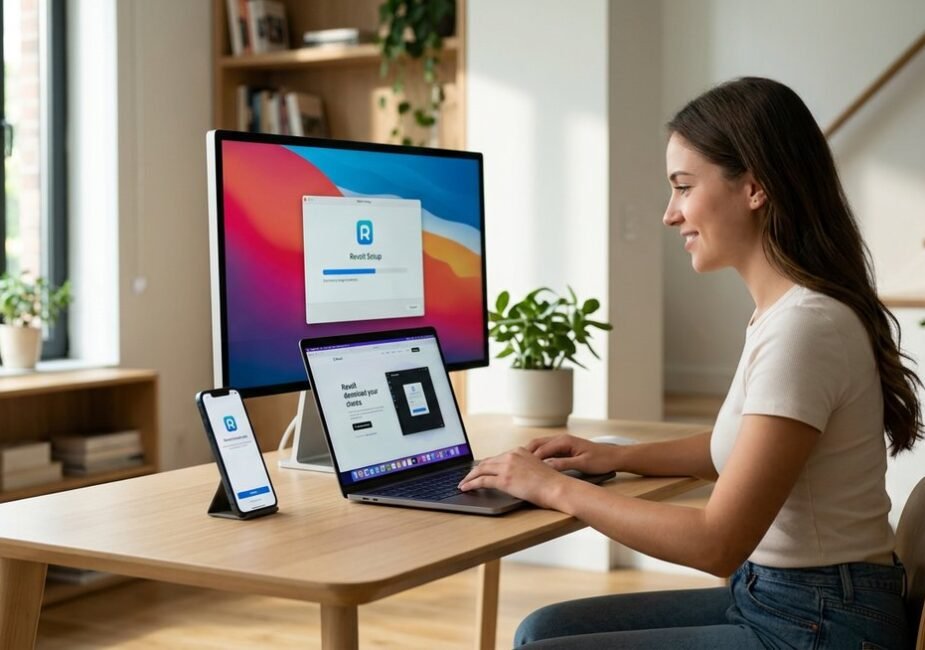
Revolt Chat runs on every major platform — web browser, Windows, macOS, Linux, and Android — with an iOS beta available through Apple TestFlight. The fastest way to try it: open app.revolt.chat in any browser. No download, no account creation required just to look around. For a native experience, the desktop and mobile apps are free, open-source, and distributed through GitHub, Google Play, and Flathub.
The entire signup-to-chatting process takes under five minutes. Registration requires only an email and password — no phone number, no credit card, no identity verification. Paul Makles and the Revolt team deliberately kept the barrier to entry as low as possible, and it shows.
Where most guides stop at “download the app,” this one covers the friction points that actually trip people up: Windows SmartScreen warnings on unsigned executables, macOS Gatekeeper blocks, Linux Flatpak configuration, and the first-time account setup that turns a fresh install into a functional community space.
What Is Revolt Chat? Quick Overview
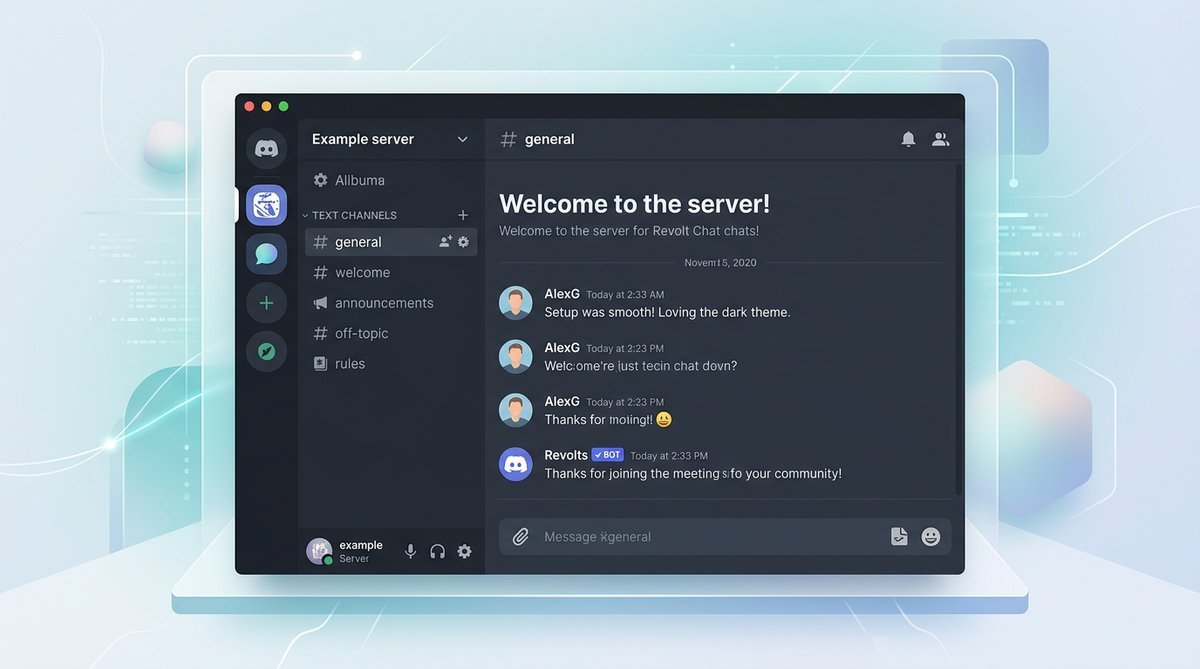
Revolt Chat is a free, open-source messaging platform structured like Discord — servers, text channels, voice chat, roles, and permissions — but with no ads, no subscription tiers, and a fully public codebase licensed under AGPL-3.0. Created by Paul Makles in 2021, the platform surpassed 600,000 registered users before rebranding to Stoat.chat in early 2025. The complete Revolt Chat overview covers the full platform history, feature set, and privacy architecture.
Why Download Revolt Over Discord?
- Zero cost, no paywalls: Every feature is free — no Nitro equivalent, no server boost tiers
- Open source and auditable: Backend (Rust), frontend (Solid.js/TypeScript), and API code are all public on GitHub
- Self-hostable: Organizations can deploy private instances with full data sovereignty via Docker or Kubernetes
- Privacy-first: No behavioral tracking, no ad profiles, and self-hosted deployments keep all data on your infrastructure
Platform Availability at a Glance
| Platform | App Type | Where to Get It | Status |
|---|---|---|---|
| Web | Browser client (no install) | app.revolt.chat | Stable |
| Windows | Desktop app (.exe) | stoat.chat/download or GitHub Releases | Stable |
| macOS | Desktop app (.dmg) | stoat.chat/download or GitHub Releases | Stable |
| Linux | Flatpak | Flathub (chat.revolt.RevoltDesktop) | Stable |
| Android | Native app | Google Play Store (chat.revolt) | Stable |
| iOS | Beta app | Apple TestFlight (iOS 18.0+) | Beta |
How to Download and Install Revolt Chat on Windows and Mac
Download the installer from stoat.chat/download or the revoltchat/desktop GitHub Releases page, run it, handle one security prompt, and Revolt Chat is ready in under two minutes. No third-party download site needed.
Windows Installation (Including SmartScreen Fix)
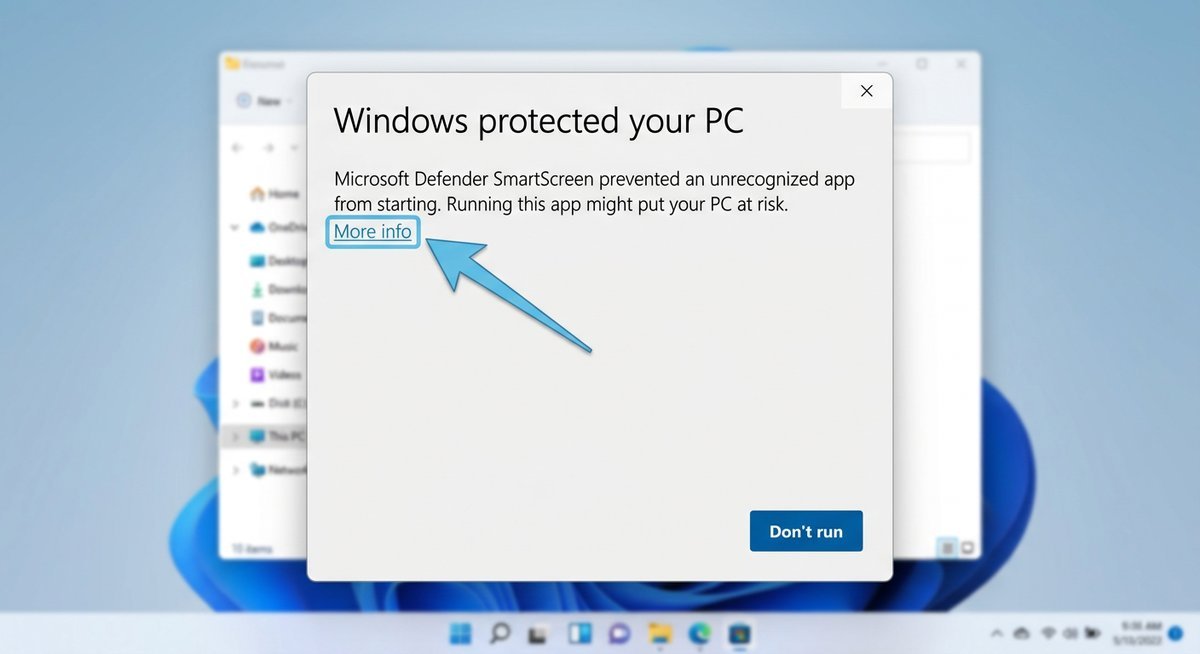
Windows Defender SmartScreen will flag the Revolt Chat installer as an “unrecognized app.” This happens because the executable lacks a paid code-signing certificate — a common reality for open-source projects distributed outside the Microsoft Store, not a malware indicator.
- Download the
.exeinstaller from the GitHub Releases page (look forrevolt-desktop-setup-x.x.x.exe). - Double-click the file. When SmartScreen appears, click “More info” in the bottom-left.
- Click “Run anyway” to launch the setup wizard.
- Accept the license agreement and click Install. Default path works fine.
- Click Finish. Revolt launches automatically.
The full installation takes about 30 seconds on an SSD. No reboot required.
macOS Installation (Including Gatekeeper Fix)
macOS Gatekeeper blocks apps from unidentified developers by default. Revolt Chat’s desktop client is not notarized through Apple’s process, so the first launch requires a one-time override.
- Open the downloaded
.dmgfile and drag Revolt into the Applications folder. - Eject the disk image, then open Applications and double-click Revolt.
- If macOS blocks with “cannot be opened because the developer cannot be verified,” go to System Settings → Privacy & Security.
- Scroll down and click “Open Anyway” next to the Revolt notification. Confirm the dialog.
After that single approval, Revolt opens normally every time. Apple Silicon users (M1/M2/M3/M4) should grab the arm64 build if available — it runs natively without Rosetta 2 translation, which means faster startup and lower power consumption.
Download File Reference
| Platform | File to Download | Architecture |
|---|---|---|
| Windows 10/11 | .exe installer | x64 |
| macOS (Intel) | .dmg (x64) | macOS 10.13+ |
| macOS (Apple Silicon) | .dmg (arm64) | M-series chips — faster native build |
How to Install Revolt Chat on Android and iOS
The Revolt Chat Android app is available on the Google Play Store under the package name chat.revolt — a standard install, no sideloading required. The iOS app is currently in beta, accessible through Apple TestFlight with a minimum requirement of iOS 18.0.
Android: Google Play Store Installation
- Open the Google Play Store on your Android device.
- Search for “Revolt” or navigate directly to the
chat.revoltlisting. - Tap Install and wait for the download to complete.
- Open the app and proceed to account creation or login.
The app works on Android 5.0 (Lollipop) and later. File attachments up to 20 MB are supported, and the full feature set — text channels, voice chat, direct messages, and server management — is accessible from the mobile client.
iOS: TestFlight Beta Access
Revolt Chat’s iOS app is not yet on the standard App Store. As of March 2026, it is available as a beta through Apple TestFlight, requiring iOS 18.0 or later. The official download link is on the stoat.chat/download page under the iOS section.
iPhone users who prefer stability over beta features can use the mobile web client at app.revolt.chat in Safari. The web version is fully functional — text chat, voice, file uploads, server management — and requires no installation at all.
How to Install Revolt Chat on Linux (Flatpak)
Install Revolt Chat on any major Linux distribution in under two minutes using flatpak install flathub chat.revolt.RevoltDesktop. The official Flathub listing is the recommended source — no PPAs, no manual dependency hunting.
Terminal Installation (Recommended)
Confirm Flatpak is installed by running flatpak --version. If missing, install it first via your distribution’s package manager. Then add the Flathub remote and install Revolt:
flatpak remote-add --if-not-exists flathub https://flathub.org/repo/flathub.flatpakrepo
flatpak install flathub chat.revolt.RevoltDesktop
The download size is roughly 150-200 MB depending on shared runtime components already cached. Flathub typically mirrors new GitHub releases within 24-48 hours of publication.
GUI Installation (GNOME Software / KDE Discover)
Open GNOME Software or KDE Discover, search for Revolt, and click Install on the Flathub listing. Ubuntu 22.04+ users may need to enable Flathub first: sudo apt install gnome-software-plugin-flatpak. Fedora 38+ ships with Flathub pre-configured.
Linux Commands Quick Reference
| Task | Command |
|---|---|
| Install Revolt | flatpak install flathub chat.revolt.RevoltDesktop |
| Launch Revolt | flatpak run chat.revolt.RevoltDesktop |
| Update all Flatpaks | flatpak update |
| Uninstall Revolt | flatpak uninstall chat.revolt.RevoltDesktop |
First-Time Account Setup and Server Configuration
Creating a Revolt Chat account requires only an email address and a password. No phone number, no date of birth, no CAPTCHA. The verification email arrives within seconds — click the link, and the account is immediately active.
Create and Configure Your First Server
- Click the + icon in the left sidebar and select Create a Server.
- Enter a server name and optionally upload a server icon.
- Add text channels (e.g., #general, #announcements) and voice channels as needed.
- Open Server Settings → Roles to create moderator or member roles with granular permissions.
- Copy the invite link from Server Settings → Invites and share it with your community.
Privacy and Notification Settings Worth Adjusting
Revolt Chat defaults are reasonable, but a few settings are worth reviewing immediately after account creation:
- Direct message permissions: Restrict DMs to friends-only if you prefer not to receive unsolicited messages from server members.
- Notification preferences: Set per-server and per-channel notification rules to avoid noise from high-traffic servers.
- Display name vs. username: Change your display name freely per-server without affecting your global username. Revolt Chat supports name changes without the restrictions Discord imposes.
Frequently Asked Questions
Is Revolt Chat completely free to download and use?
Revolt Chat is 100% free with no premium tiers. Every feature — text channels, voice chat, file uploads up to 20 MB, custom roles, unlimited servers — is available to all users at no cost. The project is funded by community donations, not subscriptions or advertising.
Is Revolt Chat safe to download?
Downloading from the official sources — Google Play Store, stoat.chat/download, GitHub Releases, or Flathub — is safe. Windows SmartScreen and macOS Gatekeeper flag the desktop installer because it lacks a paid code-signing certificate, which is standard for open-source projects. The AGPL-3.0 licensed codebase is fully auditable on GitHub.
Do I need a phone number to create a Revolt Chat account?
No. Registration requires only an email address and password. No phone number, no date of birth, no identity verification. Email verification activates the account within seconds.
Can I change my name on Revolt Chat?
Yes. Revolt Chat allows display name changes freely, and the Masquerade feature lets users set different display names and avatars per-server. Global username changes are also supported without the cooldown restrictions Discord imposes.
Does Revolt Chat support text formatting and Markdown?
Revolt Chat supports full Markdown formatting in messages: bold, italic, strikethrough, code blocks, block quotes, headers, and embedded links. Spoiler tags are also available using !!spoiler text!! syntax for hiding content behind a click-to-reveal overlay.
Does Revolt Chat support screen share and push-to-talk?
Voice channels are supported with push-to-talk functionality. Screen sharing capabilities are still maturing and may vary by platform. The desktop client offers the most complete voice feature set; mobile voice support is functional but more limited.
Getting Started
Revolt Chat installs in minutes on any platform. The web client at app.revolt.chat requires nothing at all — open the URL and start chatting. Desktop apps handle Windows, macOS, and Linux. The Android app is on Google Play. iOS users can join through TestFlight.
No phone number. No credit card. No paywalled features. Registration is an email and a password, and every feature ships free from day one. For communities that want the Discord experience without the Discord business model, Revolt Chat delivers exactly that.
Last modified: March 26, 2026