Everything You Need Before Generating a Nutrition Facts Label
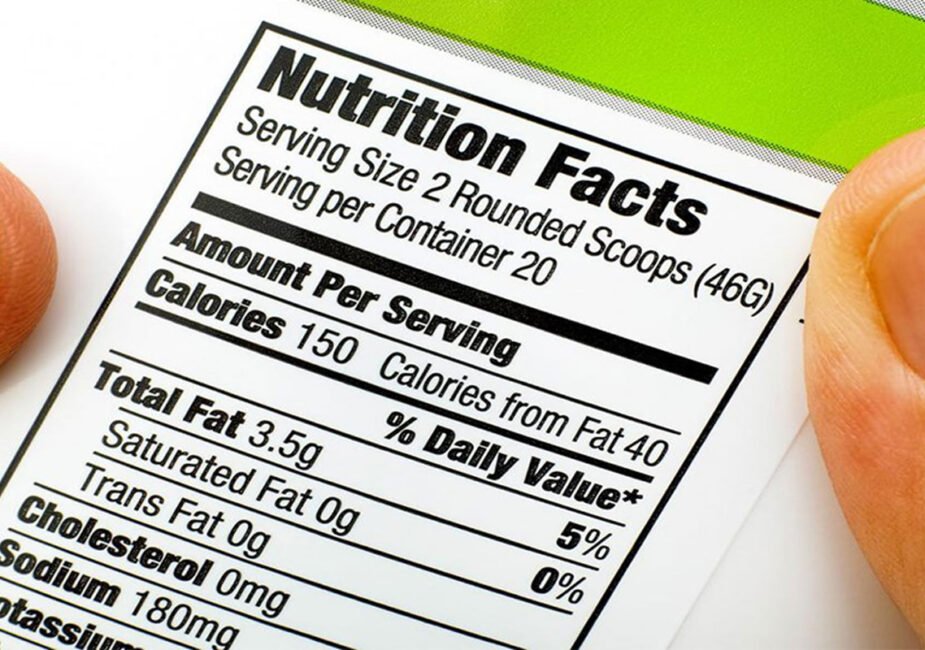
A nutrition facts label must reflect the product exactly as it is. Every value, like calories, fats, sugars, and more, must match the actual contents. Labels must follow strict display rules that define layout, units, and language. Missing data or unverified numbers can cause delays, reviews, or compliance issues.
Reliable solutions like MenuSano show how verified nutrition systems support this process from the start. Before creating a label, teams should organize ingredients, confirm accurate weights or volumes, and determine the correct layout for the packaging. With the basics covered, the next steps focus on how to apply this data across compliant, ready-to-use formats.
List Ingredients with Measured Values
Start with a full list of every ingredient used in the product. Each entry must include a specific amount in standard units. Avoid vague terms or estimates that may lead to errors. Use grams, milliliters, or other recognized measurements.
The ingredient order should reflect the amount used. Higher quantities come first, followed by smaller ones. Double-check conversions if working from recipes. Clean, measured inputs form the base of every valid label.
Match Ingredient Data with Verified Values
Nutrition data must link to tested and approved entries. General references or rough averages do not meet compliance rules. Use food databases or verified calculations for each ingredient. This supports consistency across all product lines.
Labels must show nutrients like calories, fats, sugars, and sodium. Do not adjust values manually without support. The numbers should reflect exact ingredient totals. Verified data helps avoid rework later in the process.
Define Serving Size and Select Label Format
Serving size affects how the nutrition data appears. It must match the expected use and package design. Products sold as single units follow different rules from multi-portion items. Check size limits and serving examples in regulatory guides.
Label layout depends on package shape and content type. Formats include standard, simplified, and dual-column designs. Choose a template that fits your packaging. Common format checks include:
- Font size and spacing
- Placement of key nutrients
- Order of listed values
- Serving size alignment
- Language and unit consistency
Review Inputs and Test the Final Output
Before completing the label, review all entries and calculations. Confirm that every ingredient is included with the correct quantity. Check that nutrition totals reflect the real recipe. Compare the layout against official format rules.
Solutions like MenuSano provide tools that help manage this entire review cycle from one place. With all data in one system, teams can test layouts, catch issues, and finalize labels faster. Consistent checks reduce errors and support compliance. A strong start leads to fewer problems down the line.
How Can Companies from the Food Industry Keep Labels Accurate While Managing Daily Tasks?
Companies from the food industry usually balance production schedules with compliance checks. When labels need updates, even small changes can disrupt workflows. Without a structured system, teams may lose time checking numbers or formatting errors. This creates pressure during product rollouts or menu adjustments.
A setup designed for nutrition management removes those extra steps. It supports fast updates, accurate calculations, and built-in layout control. Teams work from one system with defined inputs and export-ready labels. That reduces confusion and helps maintain consistency across every product.
Last modified: March 3, 2026